
PDF to Brainrot guide: Convert Your PDF into Fun, Stylized Text Online
In today’s digital age, content creation has become more creative than ever. People love turning ordinary text into eye-catching visuals and playful typography. One of the newest and most unique tools in this space is “PDF to Brainrot guide” — an online converter that transforms boring PDF text into stylish, animated “brainrot” effects. Whether you’re creating social posts, meme captions, or just want a fun way to read your documents, this tool gives your text a fresh personality.
What Is PDF to Brainrot?
PDF to Brainrot guide is a free online tool that converts text from PDF files into stylized, wobbly, or glowing “brainrot” text. The term “brainrot” originally comes from internet slang, describing content that’s chaotic, fast, and visually overstimulating — but in this tool, it’s reimagined as a creative design effect. You upload a PDF, extract its text, and then apply visual styles like intensity, wobble, and neon glow to make your words stand out.
Unlike many online converters, this tool runs completely in your browser. It doesn’t upload or store your files on any server, so it’s 100% private and secure. That means your PDF stays on your device the entire time.
How Does It Work?
The process is simple and beginner-friendly. You don’t need to install any software or create an account.
Here’s how it works:
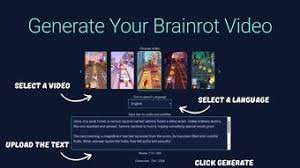
- Upload your PDF file or drag and drop it onto the page.
- The tool instantly extracts all the text from your PDF using built-in browser technology.
- Choose your Brainrot intensity level — higher intensity adds more wobble, rotation, and playful movement.
- Add optional Neon glow or Wobble animation effects for a creative finish.
- Preview your stylized text, then download or copy it for use in social media, memes, or creative projects.
Because everything happens locally on your device, it’s also one of the fastest and most private converters available online.
Key Features of PDF to Brainrot guide
- 100% Client-Side — Your files never leave your browser.
- No Login or Signup Needed — Start converting instantly.
- Creative Effects — Add brainrot intensity, wobble, and glowing neon.
- Download or Copy Output — Get a text file or clipboard copy instantly.
- Fast PDF Text Extraction — Works with multi-page PDFs in seconds.
- Works on All Devices — Fully mobile-friendly and responsive design.
These features make it ideal for students, social media creators, designers, and anyone who enjoys adding personality to plain text.
Why Choose a Browser-Based PDF Converter?
Most online converters require you to upload files to their servers, which can be risky if your document contains private information. PDF to Brainrot guide is completely different. It uses browser technology (PDF.js) to handle all text extraction on your local device.
That means:
- No server uploads.
- No saved files.
- No privacy risks.
You can safely convert anything — from school notes to creative stories — without worrying about your data being shared.
Creative Ways to Use Brainrot Text
You might be wondering what to do with your “brainrot” text once you’ve created it. Here are a few fun ideas:
- Make meme captions with glowing, wobbly letters.
- Stylize social media bios for platforms like TikTok, Instagram, or Twitter.
- Create unique posters or presentations using exported text.
- Turn boring documents into creative stories by remixing the text.
- Generate artistic typography for content projects or personal use.
The possibilities are endless — the tool simply gives your words more character and movement.
SEO Benefits for Content Creators and Marketers
If you run a blog, YouTube channel, or digital marketing campaign, unique visuals can improve engagement and help your content stand out. The “PDF to Brainro guidet” style can be used to create catchy text graphics for thumbnails, intros, or short clips.
Because the tool is lightweight and instant, you can quickly generate stylized words for posts or titles that grab attention — helping boost click-through rates and overall engagement.
Is PDF to Brainrot guide Safe to Use?
Yes. Privacy is a top priority. Since the tool runs locally in your browser, it doesn’t collect or store any of your data. It also doesn’t require login or cloud processing, making it one of the safest free converters available.
Frequently Asked Questions
1. Do I need to install anything?
No. It works directly in your browser — no installation needed.
3. Can I use it on mobile?
Absolutely. The design is responsive, so it works smoothly on phones, tablets, and desktop browsers.
4. Will my PDF be uploaded?
No. Everything stays in your browser — it’s fully private and secure.
2. Is it free?
Yes, PDF to Brainrot is 100% free to use.
Final Thoughts
PDF to Brainrot guide is more than a converter — it’s a creativity tool. It lets you turn simple text into expressive, visual storytelling. Whether you’re a designer, a student, or just someone who loves experimenting with fun effects, this tool makes it easy to add flair to your words.
Fast, private, and completely free, it’s the perfect choice for anyone looking to give their PDF text a new life with a “brainrot” twist.
Keywords used naturally in content:
pdf to brainrot guide, pdf brainrot converter, convert pdf to stylized text, brainrot text, online pdf to text tool, free pdf text converter, client-side pdf converter.
Table of Contents
Creative Uses of Brainrot Text
Once your text is transformed, there are countless ways to use it creatively:
- Add it to memes or social media posts
- Create artistic posters or story captions
- Style your website’s text or blog headlines
- Generate content for creative writing or video titles
- Experiment with animated typography for short clips
The “brainrot” effect helps your content stand out visually and adds humor or energy to your message.
Main Features
- 100% client-side text conversion — private and secure
- No login, signup, or installation needed
- Adjustable brainrot intensity levels
- Optional neon and wobble effects
- Quick download or copy options
- Works smoothly on mobile and desktop
These features make it perfect for creators, students, or anyone who wants to add style to plain text.
Transforming your PDF into stylized text using our PDF to Brainrot guide enhances your content’s visual appeal, making it not only distinctive but also engaging. With our client-side PDF converter, you can quickly and effortlessly convert PDF documents into vibrant brainrot text, allowing for creative expression in various applications.